
What online payments actually involve
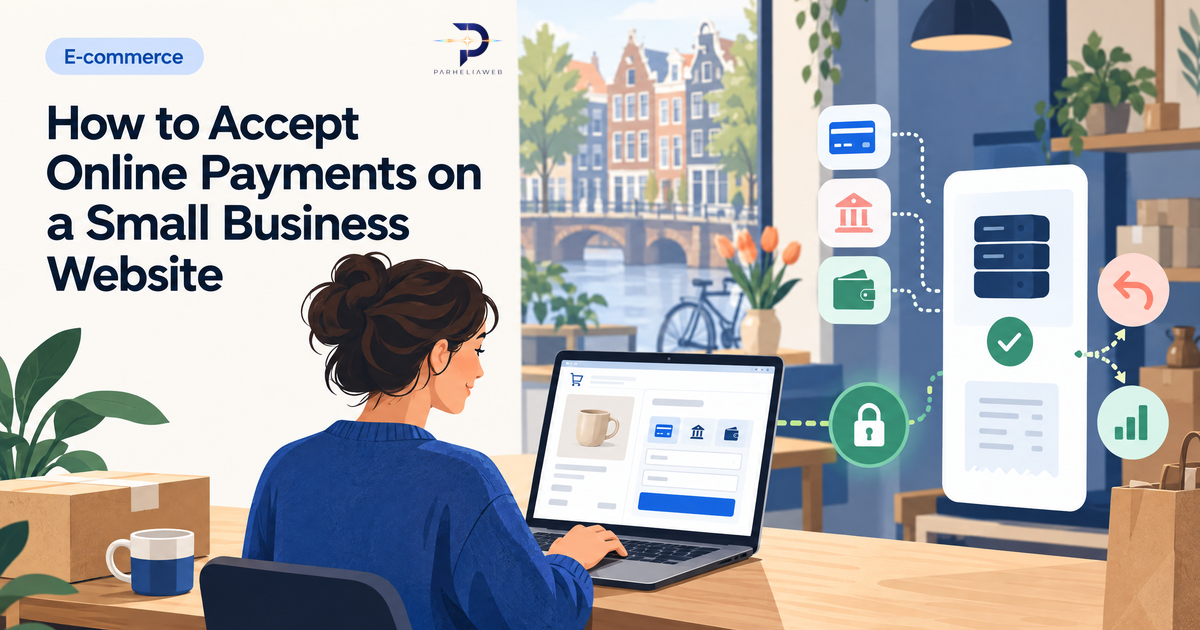
Online payment looks simple from the customer’s side. They click a button, choose a payment method, complete the payment, and receive an order confirmation. Behind that short journey is a chain of services responsible for authentication, fraud checks, payment status, refunds, and settlement.
The payment provider supplies the checkout and connects your business to payment methods such as iDEAL, cards, Bancontact, PayPal, or local alternatives. Acquirers and card networks move transactions through the banking system and apply their own rules. As a small business, you normally work through the provider instead of integrating with every bank and network separately.
Your provider affects more than the transaction fee. It also affects which customers can pay, how refunds work, how disputes are handled, what webhooks and reporting are available, and how much security responsibility remains with you.
Choosing a payment provider in the Netherlands
Mollie is a common choice for Dutch small businesses because it supports iDEAL and several European payment methods through one account. It is often a practical fit for a straightforward shop, booking flow, or payment link.
Stripe is a strong option when you expect international customers or need subscriptions, invoicing, marketplaces, more programmable payment flows, or deeper developer control. It is powerful, but the extra flexibility also means more decisions to make.
PayPal can be useful as an additional payment option because many customers already recognise it. It is not always the best sole provider for a Dutch business, particularly if most customers prefer local payment methods.
Payment links and QR codes can be a sensible first step for occasional sales, deposits, or service invoices. They do not replace a full shop, but they let you test whether customers will pay online before you invest in a catalogue, cart, and checkout system.
Providers change their supported methods, pricing, and onboarding rules. Check the current fee schedule and eligibility requirements before making a final choice. A provider that is ideal for a local bakery may be a poor fit for subscriptions or international sales.
What online payments cost
Most payment providers charge per transaction. The fee may combine a fixed amount and a percentage, and the exact cost can depend on the payment method, customer location, currency, and risk profile. Some providers also offer optional services or monthly plans.
Do not compare providers using only the headline rate. Estimate your own monthly volume and average order value. A provider with no monthly fee but a slightly higher per-transaction charge may be cheaper for a business with occasional sales. A business with high volume may care more about negotiated rates, settlement timing, and reporting.
Also budget for the website itself. A working online shop may need product management, stock handling, shipping rules, tax display, order emails, customer accounts, refunds, and support. For many small businesses, the development and operational work costs more than the payment provider fees.
Before launch, clarify when money reaches your bank account, how failed payments are reported, whether refunds incur a fee, and how chargebacks are handled. Predictable cash flow matters more than saving a few cents on one transaction.
Security, PCI DSS, and hosted checkout
PCI DSS is the payment-card security standard. The simplest way for a small business to reduce its scope is to use a hosted checkout or a provider-hosted payment component. The customer enters sensitive card information into the provider’s secured environment rather than into a form that your own server stores and processes.
This is not a shortcut around security. It is the architecture many small businesses should prefer. Do not build your own card-number collection form or store card details on ordinary website hosting. The security, compliance, monitoring, and incident-response burden is far too high for most small teams.
Your responsibilities do not disappear. You still need a valid HTTPS setup, secure administrator accounts, updated software, careful access control, sensible data retention, and a privacy notice that explains the relevant processing. Keep payment-related secrets on the server or in a secret manager, never in browser code or a public repository.
Refunds, chargebacks, and payment status
The happy path is only one part of payment integration. Before you launch, decide what should happen when a customer pays and then asks for a refund, when a payment is pending, or when a bank rejects a transaction after the customer leaves the checkout.
Your website should not mark an order as paid merely because the customer returned to a success page. The reliable status should come from a verified server-to-server notification, often called a webhook, from the payment provider. Your application should check that notification, update the order, and handle duplicate notifications safely.
Also plan for:
- failed and expired payments;
- partial and full refunds;
- duplicate webhook deliveries;
- chargebacks and disputes;
- cancelled orders and stock release;
- confirmation emails that are sent only after the right payment state is reached.
These details rarely appear in a sales demo, but they are where payment projects become reliable—or become a source of support tickets.
When DIY payment integration is a bad idea
Payment documentation can make integration look like a few API calls. The initial connection may be straightforward. The difficult part is everything around it: state changes, refunds, retries, security, tax display, stock, email, and the cases nobody remembers until a real customer encounters them.
For a small business selling a few products or services, a hosted checkout is usually the sensible choice. The customer is redirected to the provider, completes the payment, and returns to your website. Your system receives a verified status update and continues with the order.
A custom payment flow can make sense when you need subscriptions, marketplaces, split payments, complex fulfilment, or deep integration with existing business software. Even then, use the provider’s official components and follow its security guidance rather than handling card data yourself.
A practical way to start
Begin with the smallest payment flow that solves the real business problem. For occasional services, payment links may be enough. For a small product catalogue, use a hosted checkout with the payment methods your customers already expect. For subscriptions or international operations, compare a more programmable provider and budget for the extra implementation work.
Keep checkout short. Show the total price, shipping, and tax clearly before payment. Do not force customers to create an account unless there is a real reason. Make the payment and return experience work on a phone, because a large share of small-business purchases happen there.
Use test mode, then make a real low-value payment before launch. Test a successful payment, a failed payment, a cancelled payment, a refund, and a delayed status. Confirm that the order, email, stock, and administration records all end up in the correct state.
Finally, write down who handles refunds and customer questions. A technically successful payment system can still produce a poor customer experience if nobody knows how to resolve a duplicate charge or a missing confirmation.
Want a checkout that works reliably?
We build small-business e-commerce and payment flows with Mollie, Stripe, hosted checkout, tested webhooks, and clear order handling.
See our bakery demo